💡 本文记录了我在使用 hexo-all-minifier 压缩图片时遇到的问题、排查过程以及最终解决方案。
一、问题背景 在为博客启用自动压缩时,我使用了插件 hexo-all-minifier 来压缩 JS、CSS 和图片文件,但在执行 压缩图片时 时,发生了报错。
报错信息大致如下(示例):
1
2
3
FATAL Something's wrong. Maybe you can find the solution here: https://hexo.io/docs/troubleshooting.html Error: write EOF at WriteWrap.onWriteComplete [as oncomplete] (node:internal/stream_base_commons:87:19)
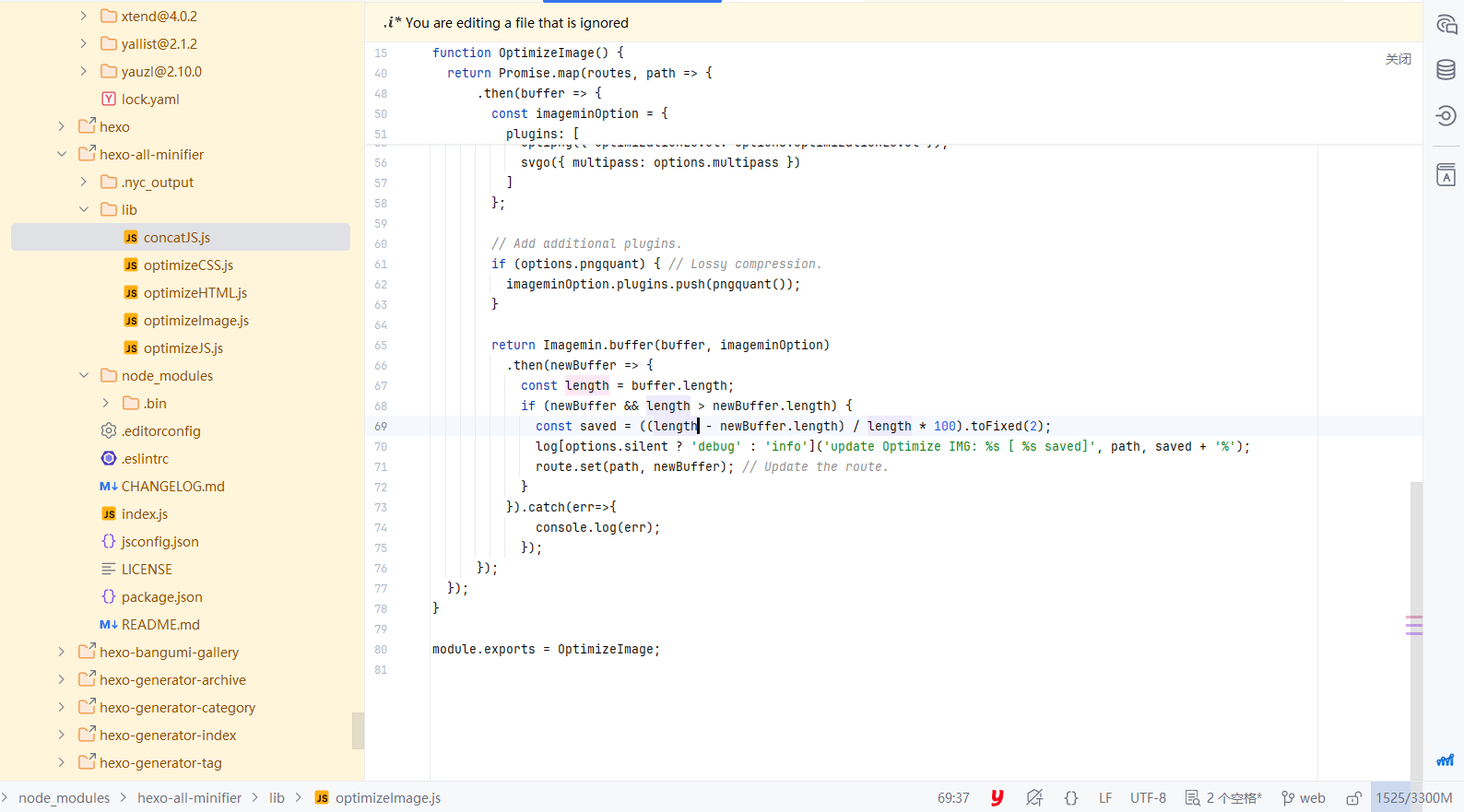
二、问题分析 通过查找发现报错发生在 hexo-all-minifier库的optimizeImage.js文件中
1
2
3
4
5
6
7
8
9
10
11
12
13
Error: write EOF at WriteWrap.onWriteComplete [as oncomplete] (node:internal/stream_base_commons:87:19) { errno: -4095, code: 'EOF', syscall: 'write', stdout: <Buffer >, stderr: <Buffer 27 44 3a 5c 6c 79 78 5c 74 73 5c 6e 6f 64 65 5f 6d 6f 64 75 6c 65 73 5c 2e 70 6e 70 6d 5c 67 69 66 73 69 63 6c 65 40 35 2e 33 2e 30 5c 6e 6f 64 65 5f ... 94 more bytes>, failed: true, signal: null, cmd: 'D:\\***\\node_modules\\.pnpm\\gifsicle@5.3.0\\node_modules\\gifsicle\\vendor\\gifsicle.exe --no-warnings --no-app-extensions --interlace', timedOut: false, killed: false }
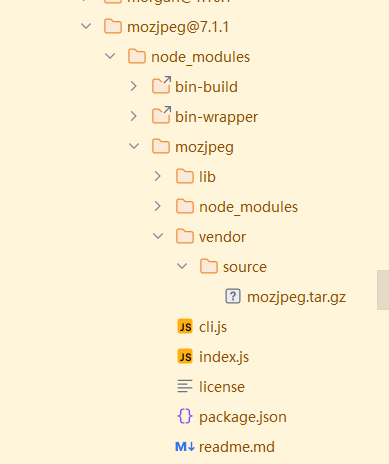
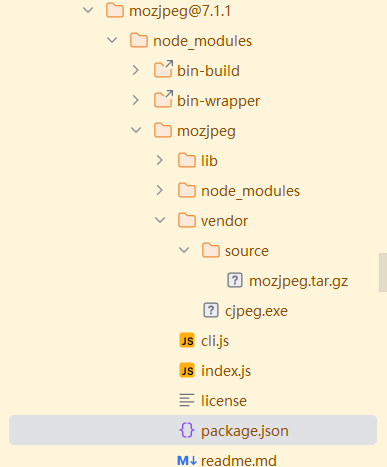
继续查找使用的Imagemin库一路查找,发现是依赖库imagemin好像没有执行正常运行postinstall
出现了新的报错
1
2
3
4
5
6
7
8
9
10
11
12
13
Error: write EOF at WriteWrap.onWriteComplete [as oncomplete] (node:internal/stream_base_commons:87:19) { errno: -4095, code: 'EOF', syscall: 'write', stdout: <Buffer >, stderr: <Buffer 27 44 3a 5c 6c 79 78 5c 74 73 5c 6e 6f 64 65 5f 6d 6f 64 75 6c 65 73 5c 2e 70 6e 70 6d 5c 67 69 66 73 69 63 6c 65 40 35 2e 33 2e 30 5c 6e 6f 64 65 5f ... 94 more bytes>, failed: true, signal: null, cmd: 'D:\\lyx\\ts\\node_modules\\.pnpm\\gifsicle@5.3.0\\node_modules\\gifsicle\\vendor\\gifsicle.exe --no-warnings --no-app-extensions --interlace', timedOut: false, killed: false }
通过错误的关键信息 ‘\vendor\gifsicle.exe’推测应该和上面的错误类似